Draftd product
Know where every document stands
Draftd shows when a document was opened and how many times, and when it was signed and by whom. If it was declined, you see the reason given. Your own views are not counted, so the numbers are the client’s. Contacts update themselves from the same activity.
- Opens and how many times
- Signed and by whom, or declined and why
- Your own views never count
The problem
Sent is not the same as read
Following up blind
You chase on Thursday without knowing if they have opened it, and the call starts with them looking for the email.
Your own clicks in the count
You checked the link four times before sending. A tracker that counts you tells you nothing about the client.
A no with no reason
The deal goes quiet and you never learn whether it was the price, the timing or somebody else.
What it does
What Draftd tracks
Know when it is read
When it was first opened, how many times since, when it was signed and by whom. If the client declines, you see the reason they gave. Your own views are left out.
Told the moment they sign
Everybody who runs the account is emailed the moment a client signs, with the package they chose.
Contacts that keep themselves
Each contact’s status follows from what they did: Active if they signed or paid, Lead if they were sent something and agreed nothing, Closed if they only declined.
Read, and on record
Audits and reports show when the client acknowledged them, so you know the findings were read before the next meeting.
Webhooks and an API
A signed webhook fires on sent, opened, signed, countersigned, declined, payment received and retainer started, so the rest of your tools can follow along.
In the app
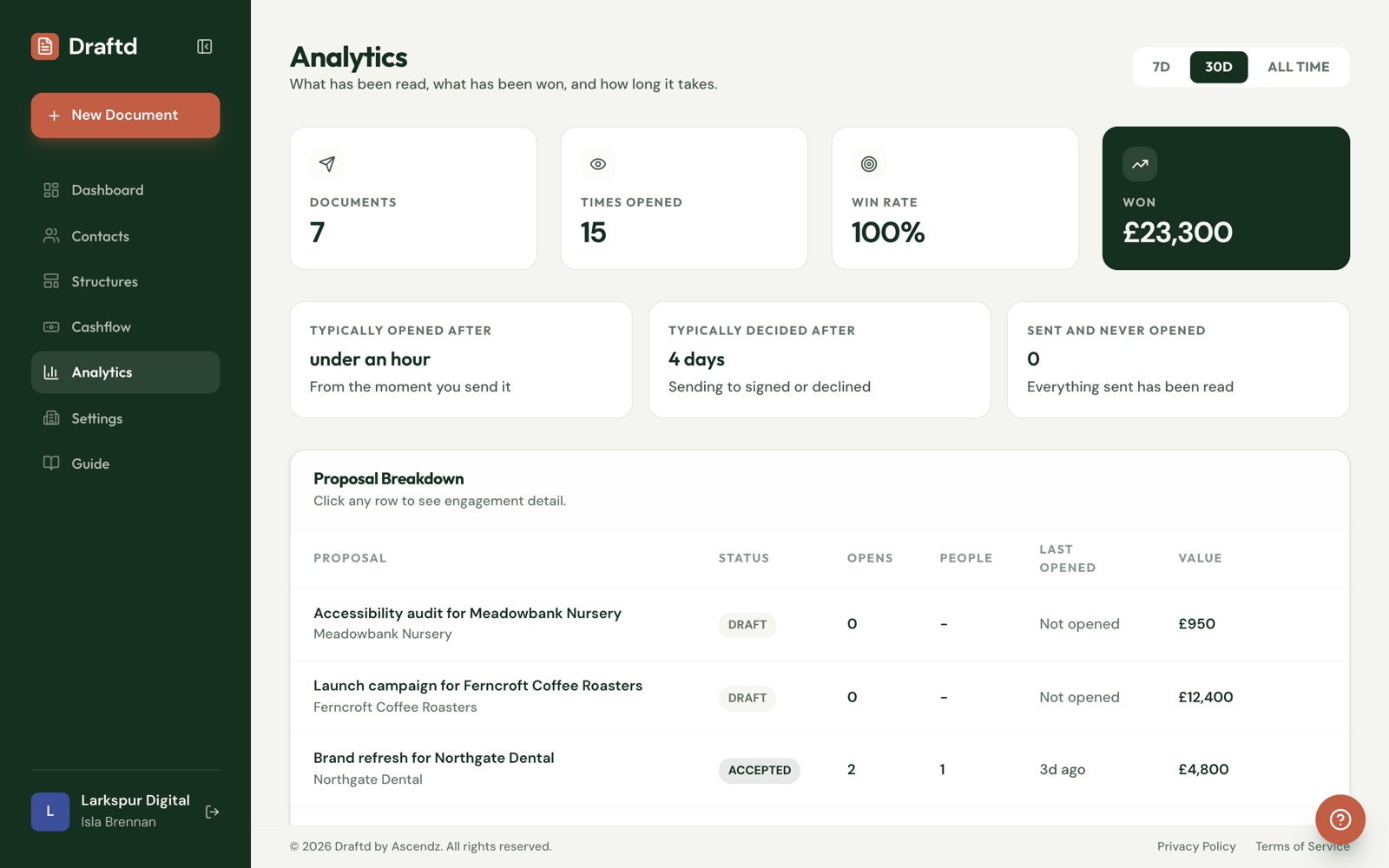
Everything you sent, and what happened to it
How many documents went out, how often they were opened, how soon and how long clients took to decide. Click any row for the detail.
What you would send
When tracking earns its keep
Knowing what the client has done tells you what to do next, and when.
- Proposal opened six times in two days
- Retainer renewal not opened after a week
- Quote declined: “timing, revisit in spring”
- Statement of work signed at 10pm
- Audit acknowledged before the review call
How it works
From the call to the deposit, in one link
What actually happens, in order, from the first brief to the money arriving.
Tell it about your business
Your services and prices, your tone and the words you never use. Ten minutes, once, and it is the difference between a document that sounds like you and one that sounds like everybody.
Write the document
Paste a call transcript or answer a short brief, pick a structure, and a full draft comes back in about a minute. Edit anything. Nothing is locked.
Send it from you
The client gets a link to a page in your branding. Replies come to you, and you see when it is opened and how often.
They sign in the browser
No account and no printer. They choose a package if you offered more than one, type their name and sign, and you get an email the moment they do.
The deposit is paid on the same page
By card straight into your Stripe account, or by bank transfer. The rest of the payments, and any retainer, are tracked in Cashflow until they arrive.
Which plan
From £19 a month, free for 14 days
Tracking, notifications and webhooks are on every plan. Starter covers one person sending up to its monthly limit, and every send is tracked.
Questions
Questions about tracking
Do my own views count as opens?
No. When you or your team open a document it is not counted, so the open count reflects the client.
What do I see when a client declines?
That it was declined, when and the reason the client gave. The contact shows as Closed if declining is all they have done.
Will Draftd send a reminder if they have not opened it?
No. Draftd sends nothing on its own. Tracking tells you when it is worth following up, and the follow-up is yours.
Can I get this data into other tools?
Yes. Signed webhooks fire on sent, opened, signed, countersigned, declined, payment received and retainer started. There is also an API key for creating contacts and documents.
What does it cost?
Tracking is included on every plan. Plans start at £19 a month with 14 days free.
Follow up when it is open on their screen
14 days free on every plan, then from £19 a month. Cancel before the trial ends and you pay nothing.
Start your free trialCard up front, nothing charged for 14 days.